 Solution 02 · PrivatTranscript
Every meeting becomes documented company knowledge
PrivatTranscript captures what is discussed in your organisation: with an external voice recorder on site, at the computer in Teams, Zoom or Meet, or with a smartphone on the road. The result is structured minutes in your own repository, almost entirely on your own machines and with no cloud service.
It closes the biggest gap in any body of knowledge: the spoken word, in which the decisions are actually made.
From conversation to filing · in one pass
Most recording tools stop once the text exists. But that is exactly where the work begins that nobody does: classifying, assigning, filing.
Capture everything
External recorder on site, your own microphone and the other side's audio in online meetings, the smartphone on the road. Everything lands in the same inventory, under the same rules.
Secure consent
Before every start the app asks whether everyone agrees. A short announcement records date and time audibly, including for participants in the online meeting.
Prepared for the conversation
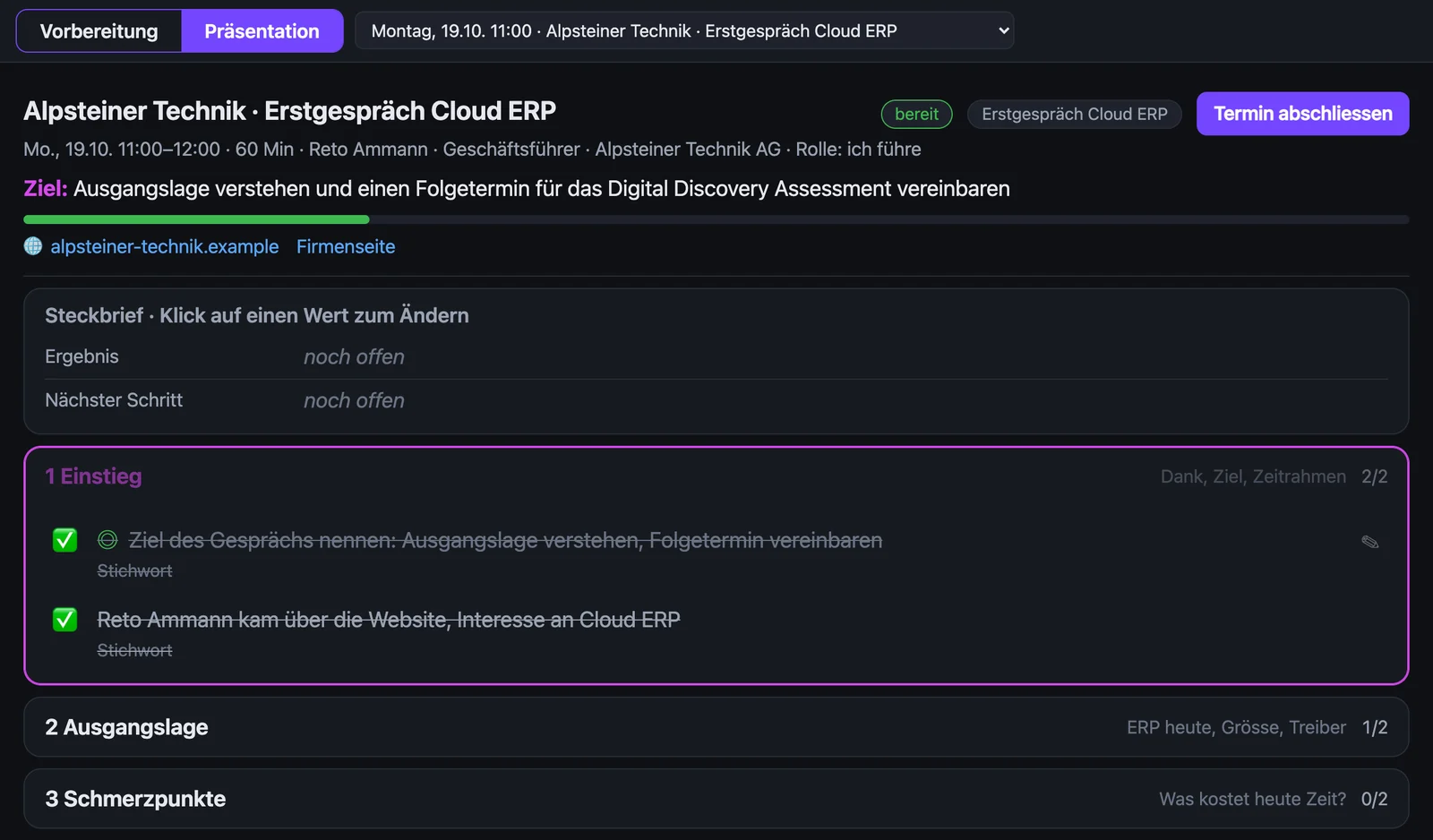
Every appointment gets a guide with goal, phases and open questions. During the meeting it ticks off what has been discussed.
Follow live
While recording, the text appears with speaker and language. Flags, notes and screenshots are placed at the right moment.
Write minutes
Templates per meeting type: project meeting, first meeting, workshop, phone call, staff review. Summary, decisions and tasks instead of a wall of verbatim text.
Find everything
Recordings carry meaningful names such as «Customer · Topic». An inventory shows status, origin and location, even years back.
The whole day on one surface
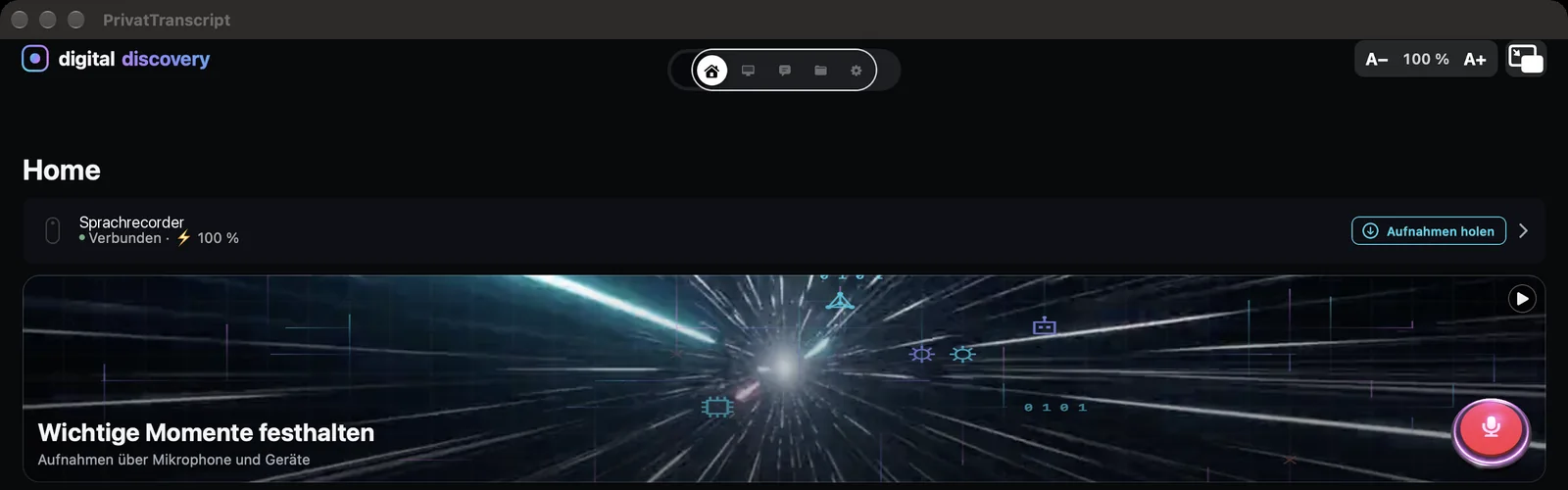
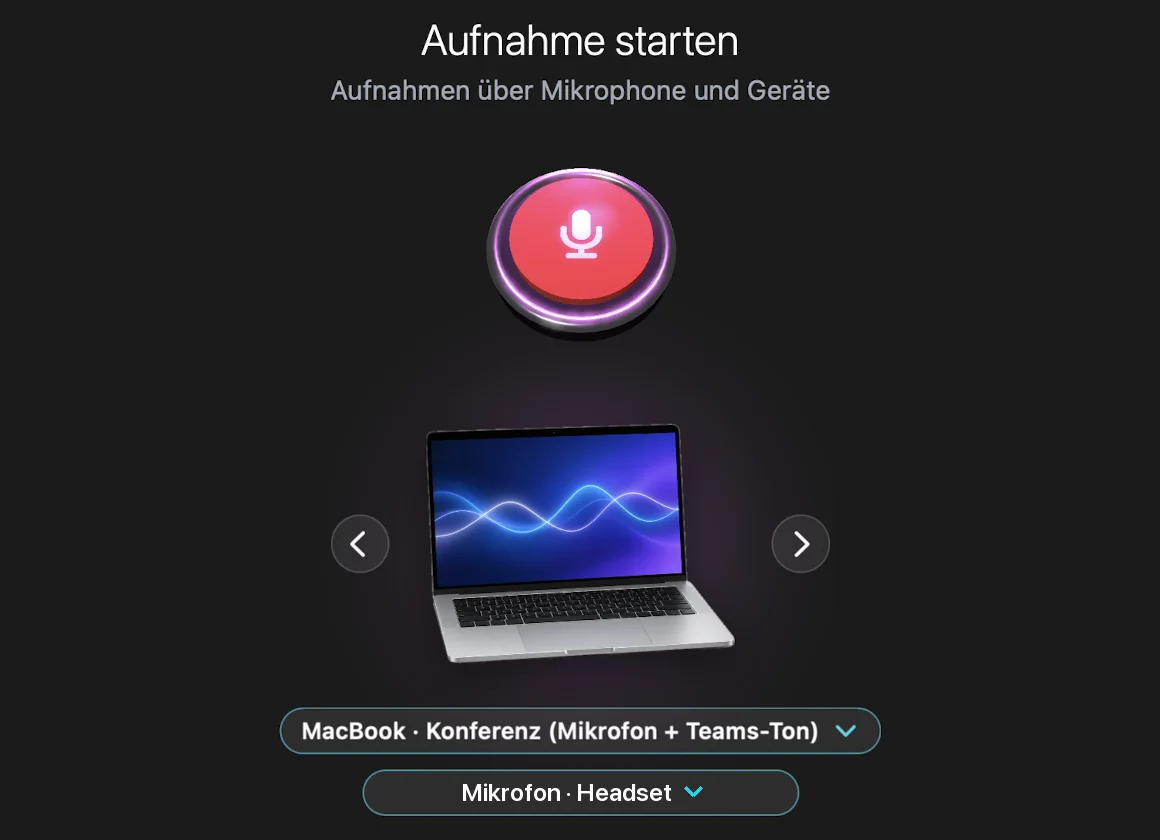
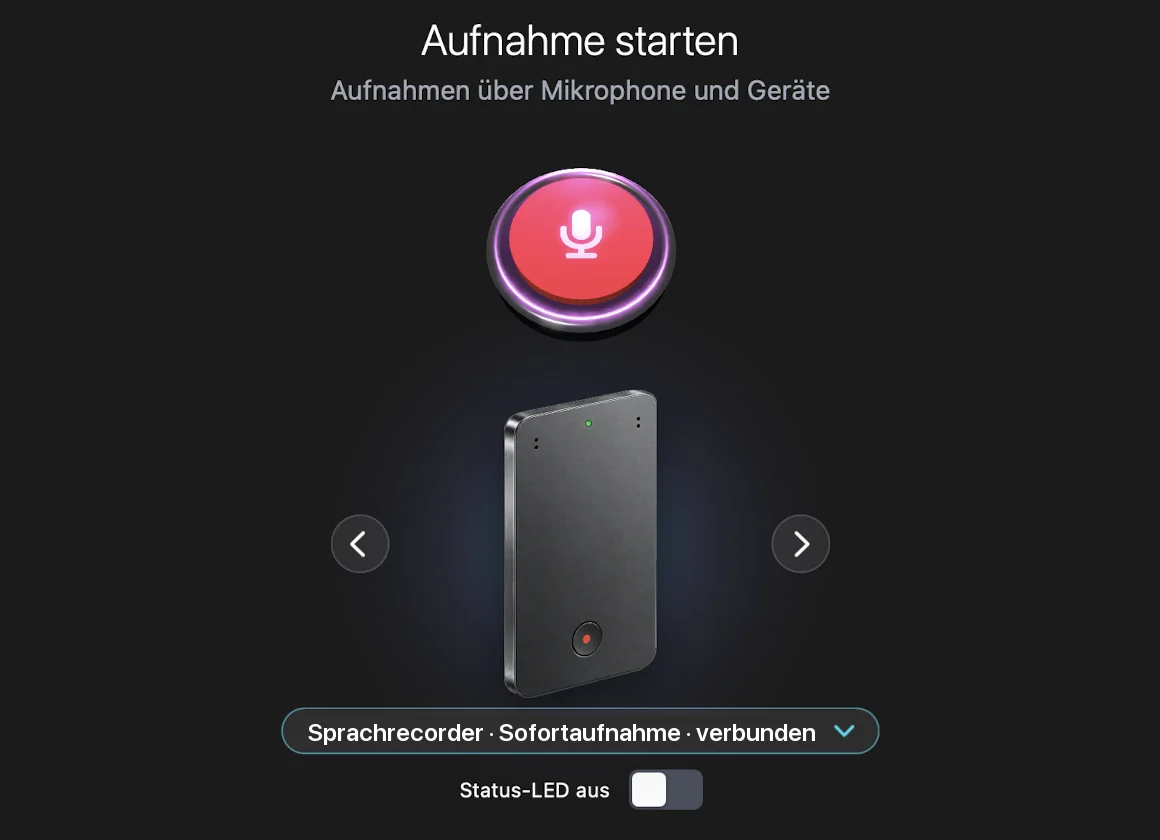
The start screen shows the connected recorder, the record button and how the day unfolded. Clicking the red button opens the recording window: the button at the top, below it the device used for recording and the microphone. Both can be switched right there.
Record only when everyone agrees
Recording conversations without consent is a criminal offence in Switzerland (Art. 179ter of the Swiss Criminal Code). PrivatTranscript makes asking for consent a fixed part of every recording instead of leaving it to memory.
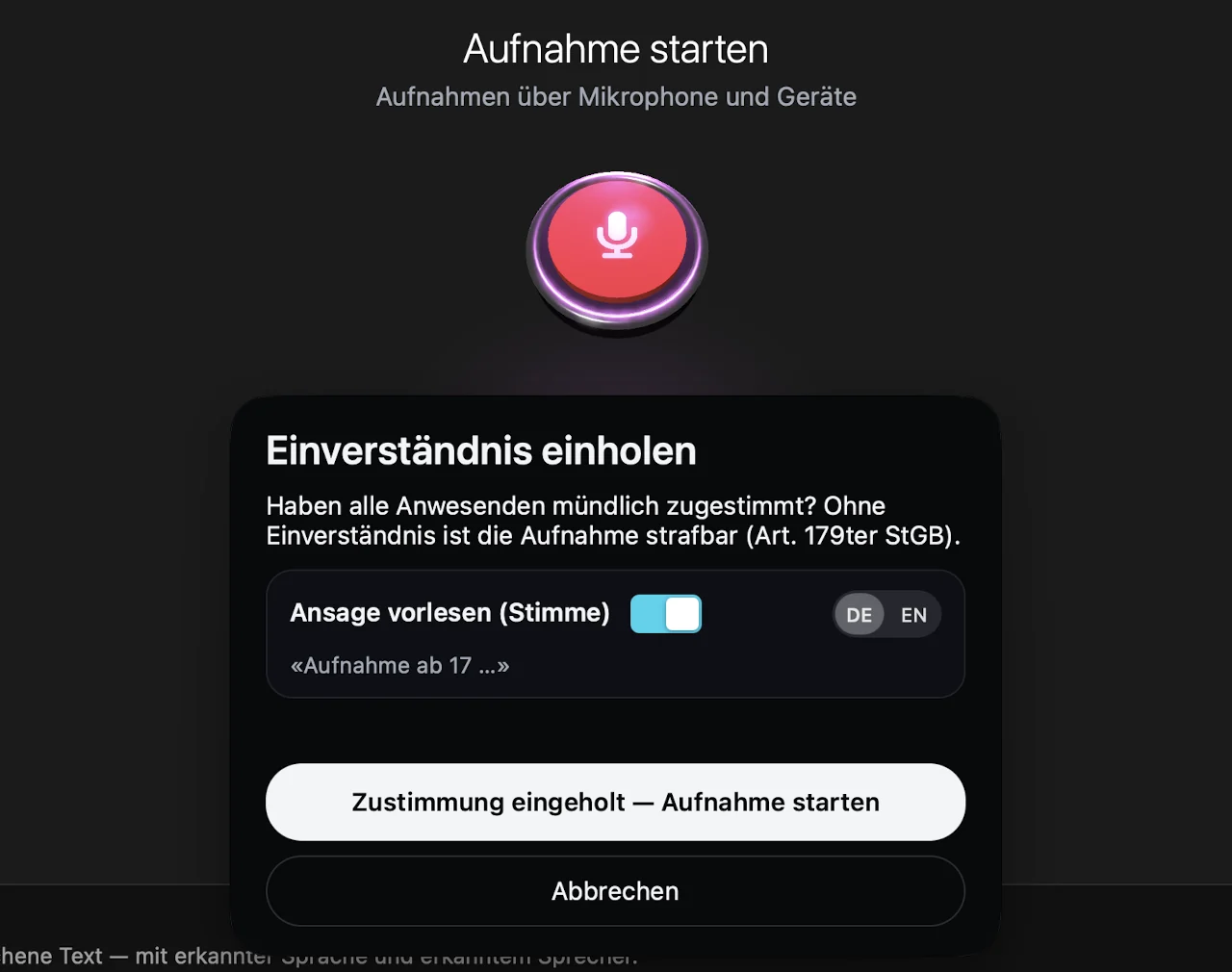
- Consent before every startWithout confirmation no recording starts. The notice states the legal position.
- Audible announcementAbout seven seconds, for example: «Recording from October nineteenth at eleven a.m. With everyone's consent. If you object, speak up now and it will be deleted.»
- Audible in online meetings tooThe announcement goes straight into Teams, Zoom or Meet through a microphone switch, so every participant hears it, even when you wear a headset.
- Objection with one clickIf someone objects, one click stops the recording and discards it, including all copies.
A guide that thinks along during the meeting
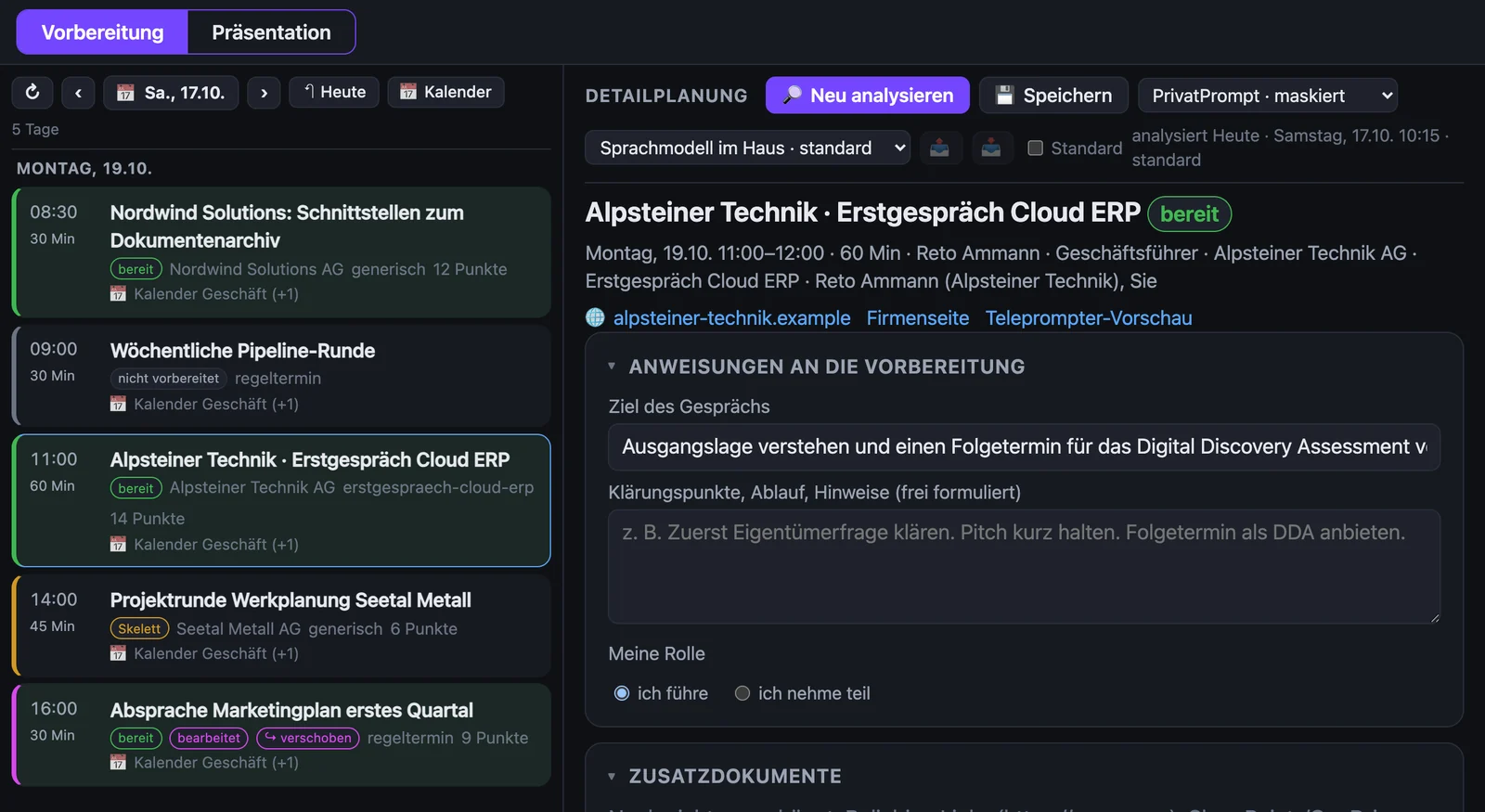
Teleprompt prepares the appointments of the coming days, based on the invitation, what is already known about the company and the last minutes of the same series. During the meeting the guide sits next to the live transcript and ticks off what has been covered.
Playbooks
First meeting, recurring meeting or open meeting, each with its own phases and points to clarify.
Your points stay
Whatever you add or rearrange survives every new analysis.
Feedback into the repository
When an appointment is closed, insights, next steps and settled questions are checked and filed in the knowledge repository.
Choice of language model
In your own data centre or through a gateway that masks names before anything is sent.
Six steps · five of them in your own house
Recording, speech recognition and speaker attribution run on your own machines and work without an internet connection. Only composing the minutes and the guide uses a language model, optionally one in your own data centre.
Four set-ups, one inventory
The solution is tailored to how your meetings actually run. Existing equipment is included, new hardware is rarely needed.
On site and on the road
Client conversations, plant walkthroughs, construction sites. An external voice recorder runs alongside and transfers automatically afterwards.
- External recorder over wireless
- No computer required
- Handles meetings lasting hours
Online meetings
Teams, Zoom or Meet. Two separate tracks: your microphone and the far side's audio, make speaker attribution unambiguous.
- No extra hardware
- Starts automatically when the meeting begins
- Speakers reliably told apart
Hybrid meetings
Participants in the room and dialled in. Recorder and computer audio run in parallel and are merged into one set of minutes.
- Room and line audio combined
- Long meetings can be split
- One set of minutes per agenda item
On the road with a smartphone
Spontaneous conversations without a recorder: the smartphone records with its own microphone. Phone calls are imported through the call recording. Without a network the app buffers and uploads later.
- No extra device
- Import phone calls
- Guide on the phone as well
Small things that carry the daily routine
Learning voices
Known voices are recognised. The solution only asks about unknown ones when they occur repeatedly or at length.
Meaningful names
After processing, «Conference 16:37» becomes «Customer · Topic», in the inventory and in the file name.
Empty recordings set aside
Recordings without a conversation are detected and set aside instead of producing empty minutes.
Visible audio path
During recording a card shows who hears what. Microphone and loudspeaker can be switched there.
Markers
Flag, note or screenshot at the timestamp, visible in the transcript and at the end of the minutes.
Start and stop with the meeting
When a Teams call begins, the app offers to record. When it ends, it offers to stop.
Monitoring with a status light
A cockpit shows what is running and what is stuck. A watchdog fixes faults itself and only reports what needs a decision.
Nothing left behind
After filing, audio and transcript sit in the archive and the minutes in the repository. Nothing remains on the computer.
Knowledge held only in people's heads is gone with the next departure
| Decisions stay on record | Who committed to what, and on what grounds, readable rather than reconstructed. |
| Handovers become possible | New colleagues read a client's history instead of having to ask around for it. |
| Time saved per meeting | No note-taking, no writing up in the evening. The minutes are already there. |
| A searchable memory | Every meeting of recent years findable in full text. |
| Evidence when it counts | In complaints and project disputes, what is documented is what counts. |
| Fuel for the knowledge base | Every set of minutes lands structured in the store and is therefore available to the company-owned assistant as well. |
Data handling
- Recordings
- On your in-house archive server
- Speech recognition
- On your own machine, offline
- Voice identification
- Your own database, stays in-house
- Minutes
- In your existing knowledge repository
- Language model
- The only external service for minutes and guide, optionally in your own data centre or through a gateway that masks names
- Consent
- Documented with timestamp in the minutes
No vendor account for your staff, no recordings in third-party data centres, no secondary use of your conversations.
As a project in three steps
Map the meeting situations
Which meetings should be captured, who attends, what equipment exists? This includes settling the employment-law and data-protection side, recordings need the consent of those involved, and the solution brings the dialogue and announcement for it. The outcome: the right configuration.
Templates and filing
Minute templates per meeting type to your specification, target folders following your existing structure. Where a governed knowledge base already exists, minutes are filed straight into it.
Pilot and roll-out
Start with one team, refine on real meetings, then extend, voice identification learns as you go and becomes more reliable week by week.
The source that feeds the knowledge base
This solution stands on its own. But it unfolds fully as the capture layer of a holistic knowledge approach. Where minutes do not end up in a folder but sit in the store linked to customer, project and decision, every meeting becomes durably usable company knowledge.
Solution 01, Corporate knowledge management → Solution 07, PrivatPrompt →Which of your meetings are being lost?
In a first conversation we look at your meeting types and work out which configuration fits. Without obligation and as equals.
Get in touch → All solutions